AI-Assisted Bookkeeping: Where It Fails, and What to Ask Your Provider
AI-assisted bookkeeping is genuinely faster — but it fails in specific, predictable ways. The three failure modes to watch for, and the data-security questions to ask before any tool touches your books.
Every bookkeeping tool now promises that AI will do your books for you. Upload the bank feed, watch the transactions code themselves, close the month in an afternoon.
Some of that is true. But if you run a business — or a CPA practice that signs off on client financials — the question is not whether AI-assisted bookkeeping is fast. It is whether you can trust what comes out the other end, and how you would know if you could not.
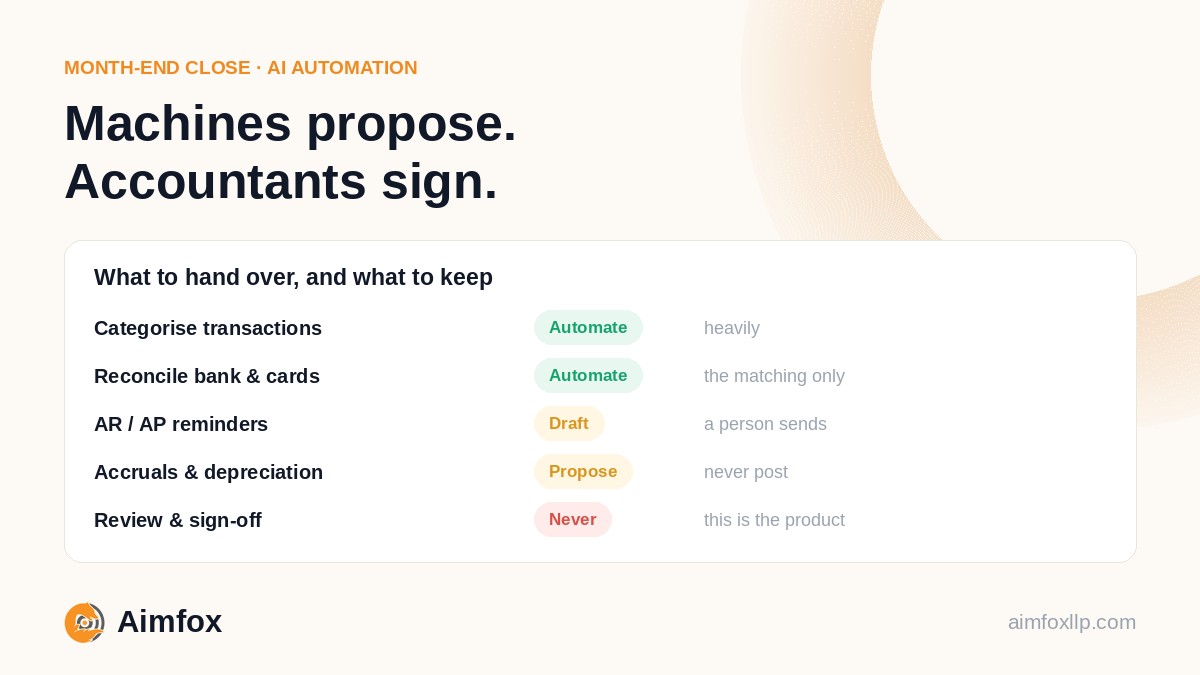
This is about the failure modes and the due diligence. For which tasks are worth automating in the first place, see automating the month-end close.
What it genuinely does well
Modern tools connect to QuickBooks Online or Xero and handle the repetitive, rules-friendly work: matching bank-feed transactions to vendors, suggesting categories from past behaviour, reading invoice and receipt data, flagging duplicates.
For high-volume, predictable transactions — recurring subscriptions, payroll deposits, card processor fees — this saves real hours every month.
The operative word is assisted. The software does the first pass. It does not understand your business, your tax position, or the story behind an unusual number.
Three ways it gets books wrong
Categorisation models learn from patterns, and patterns break in exactly the places that matter most to a clean set of books.
1. Context it cannot see
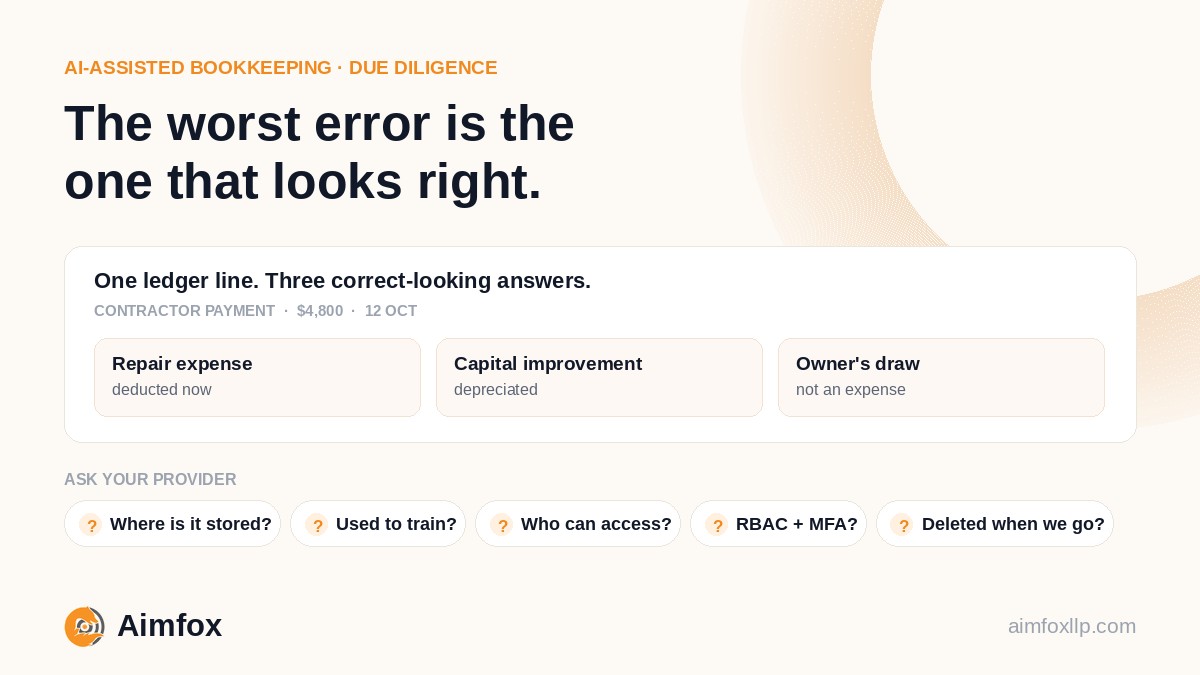
A $4,800 payment to a contractor could be a repair expense, a capital improvement that should be depreciated, or an owner's draw.
A model sees a vendor name and an amount. Your bookkeeper knows the building was renovated last month. That difference changes your financial statements, your fixed-asset register and your tax return.
2. Jurisdiction and compliance detail
Sales tax treatment, 1099 reporting, GST/HST coding, payroll liabilities — these carry real penalties when they are wrong, and the rules change.
A model trained on last year's patterns will happily keep applying last year's treatment. It will not tell you the 1099-NEC threshold moved to $2,000, or that you crossed an economic nexus threshold in November.
3. Confident mistakes
This is the dangerous one. The worst AI error is not the obvious failure — it is the answer that looks completely right.
A miscategorised transaction does not announce itself. It quietly distorts margins, reconciliations and KPI dashboards until somebody asks why the numbers do not tie out. Usually at tax time, or during a lender review, which are the two worst moments to find out.
An error you can see is a nuisance. An error that looks like a correct answer is a liability.
The questions to ask before a tool touches your books
Bookkeeping data is among the most sensitive information a business holds: bank details, payroll, vendor and customer records, tax identifiers. Before any AI tool gets near it, ask these plainly and expect specific answers.
Where is the data stored and processed? Which country, which provider, and does it leave that jurisdiction at any point.
Is it used to train models for other customers? If the answer is yes, or vague, your client list and payroll are part of somebody else's product.
Who at the provider can access it, and is that access logged? "Only authorised staff" is not an answer. Ask how authorisation is granted and where the log lives.
Is there role-based access and multi-factor authentication? And is MFA enforced, or merely available.
What happens to the data when we leave? Deletion timeline, and whether backups are included.
If a provider cannot answer those clearly, the efficiency gain is not worth the exposure.
A good outsourced team will already operate under confidentiality agreements and controlled access, and should be able to tell you exactly how any AI tooling sits inside those controls rather than alongside them. How we handle it is a reasonable benchmark to hold anyone to — secure remote access, restricted devices, no removable media, and access limited to the people on your account.
What this means for a CPA firm
Pairing a dedicated bookkeeping team with AI tooling is one way to add capacity without adding fixed overhead — which matters most between January and April.
But the model only holds if the CPA remains the final reviewer. The team prepares and reconciles, automation accelerates the routine work, and the firm's professional judgement signs off. Automation changes where the hours go; it does not move who is accountable.
That distinction is also the one your professional liability depends on, which is why it is worth writing into your engagement process rather than leaving as an assumption. It fits alongside the rest of your busy-season capacity planning.
The bottom line
AI-assisted bookkeeping is a real improvement over manual data entry. It is also a tool, not a transfer of accountability.
The businesses getting the most out of it use automation to remove the busywork and people to protect accuracy, security and judgement — and they ask their provider the awkward questions before signing, not after an incident.
Want AI speed with an accountant's sign-off?
Aimfox pairs experienced bookkeepers with modern automation for US and Canadian businesses and CPA firms — free first month, no lock-in, and a named reviewer on every account.
How we work · Ongoing bookkeeping · White-label support for CPA firms · Choosing a partner
This article is general information, not tax, accounting or security advice. Evaluate any tool against your own regulatory and client-confidentiality obligations before adopting it.