The Property Management Dashboard, Screen by Screen
Every screen of the property management workspace we build and run — occupancy, rent collected vs billed, delinquency ageing, expiring leases, owner statements per entity, and per-LLC bank reconciliation — using the Cedar & Stone demo portfolio.
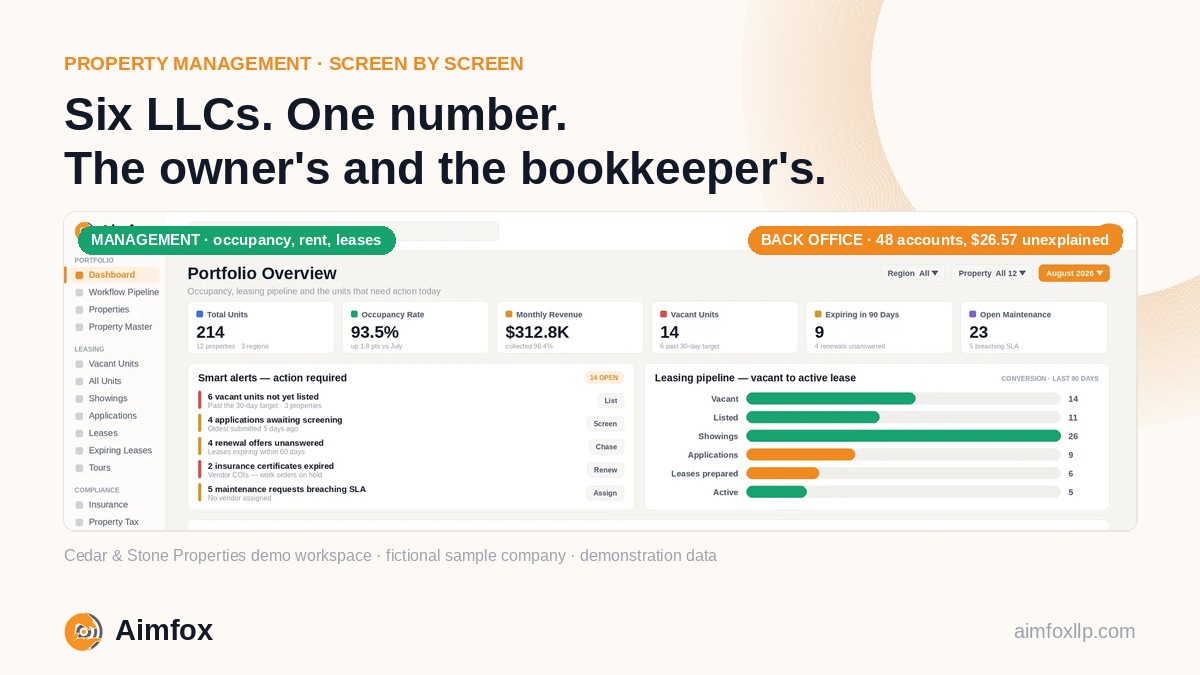
Most property managers do not have a reporting problem. They have a reconciling problem.
Occupancy lives in the property software, rent lives in the bank, owner money lives in six different LLCs, and the monthly statement is the painful moment when all of it has to agree. A property management dashboard earns its keep only if it answers the owner's question and the bookkeeper's question from the same numbers.
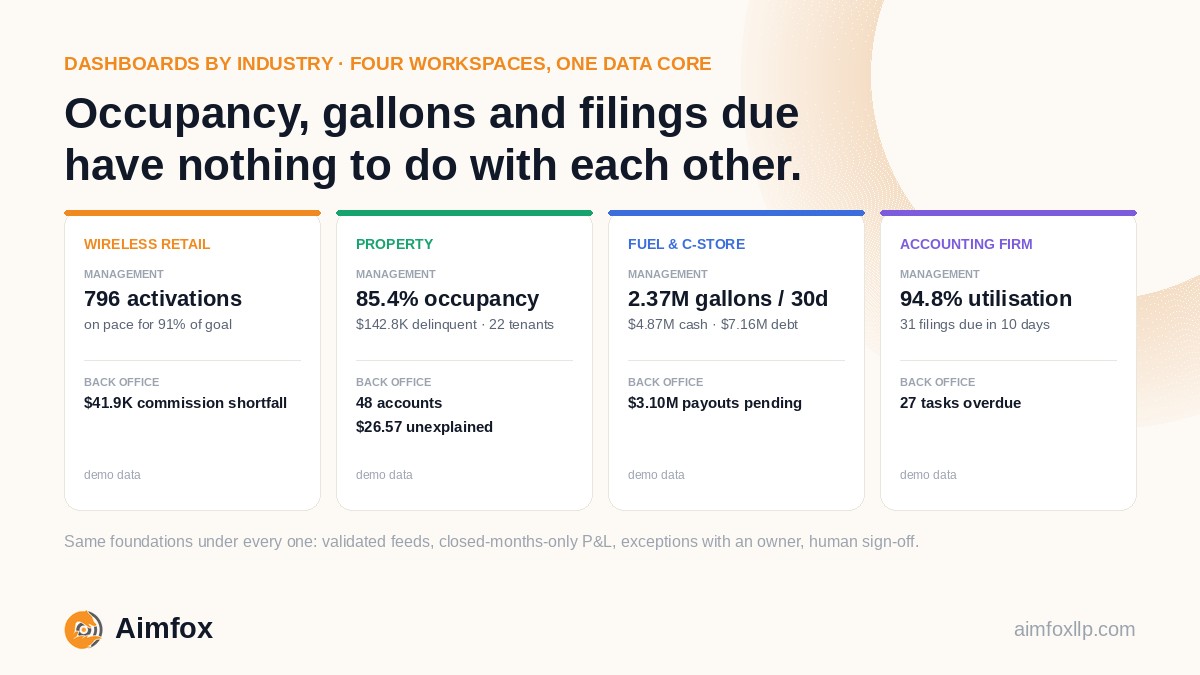
Our dashboards-by-industry overview gave property management one section. This is the full tour, in the same order as the wireless retail walkthrough: the management view first, then the back-office view, with the KPI behind each screen, how it is computed, what a good or bad reading looks like, and what someone actually does about it.
Cedar & Stone Properties is a fictional sample company — 151 units across 12 properties, held by six owner entities. Every figure in this post is demonstration data from the live demo, not a client screen. We never publish live client numbers.
The sample portfolio
That six-entity structure is deliberate. A single-building landlord can run on a spreadsheet. A manager who answers to six LLCs cannot, because every owner's money has to stay separate, every statement has to tie to a bank balance, and nobody wants to rebuild that by hand on the third of the month.
The management view: what owners and partners see
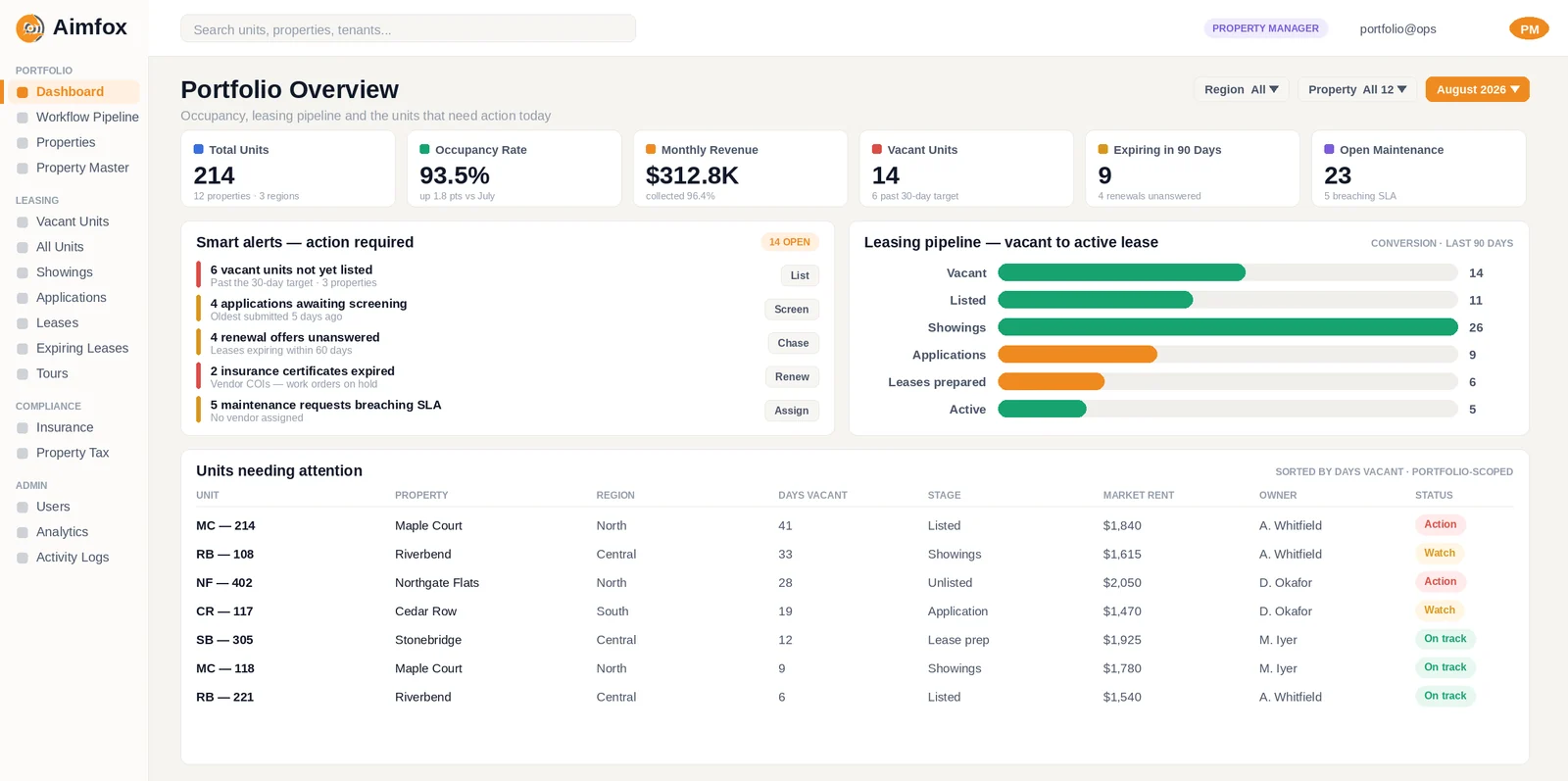
The management view is built for the people who ask how is the portfolio doing? and need an answer in under a minute. Five KPIs sit on the overview; each opens into its own screen.
Occupancy by property
Occupancy is occupied units divided by rentable units. On the demo it reads 85.4% — 129 of 151 units — broken down by property so a healthy portfolio average cannot hide one building that is a quarter empty.
The reading is good when the vacant units already have a listing date and showings booked. It is bad when the number is flat and the leasing pipeline underneath it is empty. Management's action is simple: any unit vacant more than a day without a listing is an escalation, which is exactly the rule our leasing team works to.
Rent collected vs billed
This is the screen owners look at most. The demo shows $455K of rent due for the month with 81.2% collected, computed lease by lease against what was actually billed — not against a rent roll that may be a year out of date.
The useful comparison is pace: where was collection on the same day last month? For context, the NMHC Rent Payment Tracker — which covered professionally managed apartments through 2021 — recorded full-period payment rates of roughly 92–96% in its final years, while Chandan Economics' tracker of independent landlords has shown on-time rates in the low-to-mid 80s through 2025 and into 2026. The two measure slightly different things, but the gap between them is real, and it is largely a function of how early and how consistently someone follows up — which is why this screen is paired with the next one.
Delinquency ageing and suggested next steps
Delinquency is the unpaid balance, aged into 1–30, 31–60, 61–90 and 90-plus day bands. On the demo it is $142,838 across 22 tenants.
The band matters more than the total. A balance that is mostly 1–30 days is a reminder problem. A balance growing in the 60-plus bands is a legal and reserve problem. Each of the largest balances carries a suggested next step — reminder call, payment plan, formal notice — generated from rules on age and amount. A person decides whether to send it. Nothing goes to a tenant because a dashboard said so.
Leases expiring within 90 days
The demo flags 23 leases ending within 90 days, with gates at 90, 60 and 30 days. The computation is just lease end date against today, but the value is in the gates: a renewal offer should be out at 90, a decision logged at 60, and a listing live at 30 if the tenant is leaving.
A good reading is a list where every lease inside 60 days has a status. A bad one is a lease inside 30 days with no action at all — because that is next month's vacancy.
Work orders
Eleven open work orders on the demo, each with a property, a priority and an age. Emergency items should close the same day; routine items that sit for weeks are the quiet cause of non-renewals.
Management uses this screen to spot the property whose queue is always longest — which is usually a vendor problem, not a tenant one.
Owner statements, per entity
Owner statements are generated per entity rather than assembled by hand. Each draws rent received, expenses paid, management fees and reserves held from the same governed records the screens above use, so the figure an owner sees is the figure the bookkeeper reconciled.
The good reading is a statement that ties to the entity's bank balance before anyone emails it. The bad reading is a manual adjustment nobody can explain. A reviewer signs off before a statement is released.
The assistant
Owners can ask plain-English questions — who is more than 60 days behind at Maple Court? which leases expire in November? — and the assistant answers from the same governed data, scoped to the properties that user is allowed to see.
It does not invent a number the screens do not hold, and it does not post, pay or file anything. It is a faster way to read the dashboard, not a replacement for the person who acts on it — the same stance we take on AI in the close generally.
The back-office view: what bookkeepers run
Every number on the management view is only as trustworthy as the back-office screens that feed it. This is where our bookkeeping team spends its month.
Per-entity bank reconciliation
This is the heart of multi-LLC property accounting. The screen lists every bank and card account across every entity — 48 on the demo — with the statement balance, the book balance and the difference between them.
The KPI is the unexplained difference, and the healthy reading is zero. On the demo it is $26.57, with two flagged items carrying due dates and a named owner. Trust and security-deposit accounts are reconciled separately from operating cash so owner funds never blur into the manager's.
A rec is not finished when the difference is small. It is finished when a second person has checked it.
Bank feed and feed health
The bank feed screen shows the last file received per account, row counts and staleness. A feed that stopped three days ago is a KPI in its own right, because every collection figure upstream is now wrong.
Loaders are idempotent, so a replayed file never creates duplicate transactions, and a file that fails its schema contract is rejected and reported rather than loaded.
Intercompany transfers
When a management company pays a vendor on behalf of an owner entity, or sweeps fees across LLCs, both sides have to land in the right books. The intercompany screen pairs each transfer with its counterpart and flags one-sided entries.
The good reading is every transfer matched by month end. The bad reading is an unmatched sweep that will surface as a mystery on an owner statement.
Quarterly review queue and approvals
The review queue holds the items that need a human decision before they reach a statement or a payment: a write-off proposal for a long-delinquent balance, a vendor invoice that matched a work order but not a quote, an owner distribution waiting for a second signature.
Maker-checker applies to every one of them. Rules handle what rules fit, pattern detection flags what repeats, and a person signs off before anything is filed or paid — the division of labour we set out in what to automate and what to keep.
Why two views, and why one data core
An owner wants to know whether rent came in and whether the building is full. A bookkeeper wants to know whether the bank agrees with the books in all six entities. Those are different questions, and they deserve different screens. What they should never have is different numbers.
The platform runs both views on one governed data core, with access scoped per user in the database rather than just the interface — so an owner sees only their properties, and a bookkeeper sees every account they are responsible for. The property management case study describes how the leasing pipeline on the overview screen was built.
See the workspace yourself
Open the live demo and click through the Cedar & Stone workspace — both views, every screen above.
Then book a 30-minute call. We will map your properties, entities and bank accounts onto these screens, show you what the first month looks like, and quote a fixed monthly price. First month free, no lock-in.
Property management back office · Accounts receivable & payable · Dashboards, ERP & automation · All industries
Screens shown are the platform running on demonstration data. Cedar & Stone Properties, its properties, tenants and every figure are fictional. Industry benchmarks cited are from the sources linked and reflect data published as of October 2026.